
For those of you who are actively advertising on Google Ads and a notification appears such as: "Plan to run European Union Political Ads" it can be annoying, but we can help fix it or prevent the notification from appearing again.
Follow these steps to fix Google Ads due to the "Plan to run European Union Political Ads" notification:
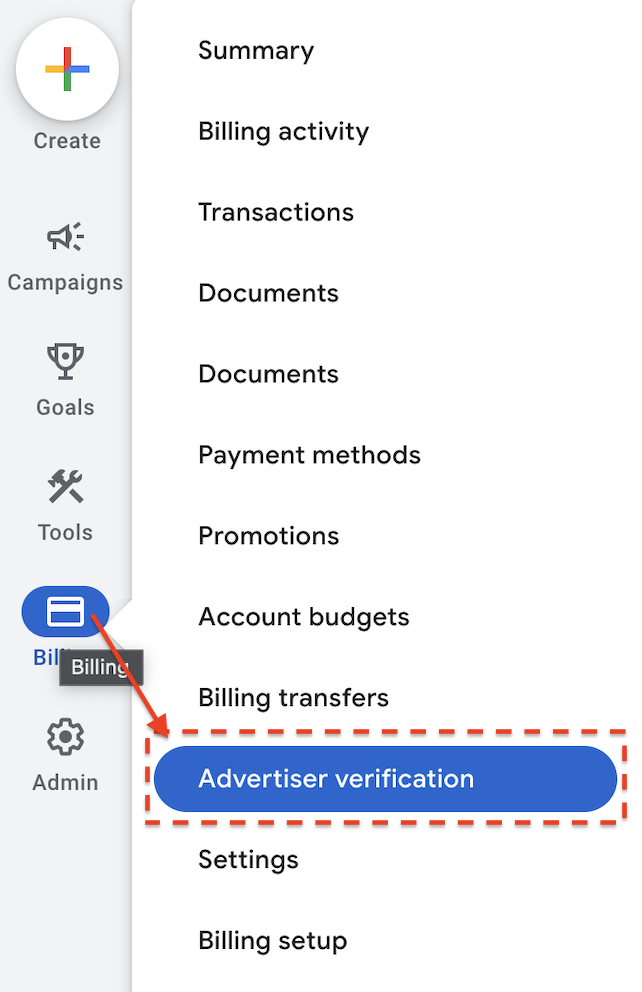
- Click the menu: Billing > Advertiser verification
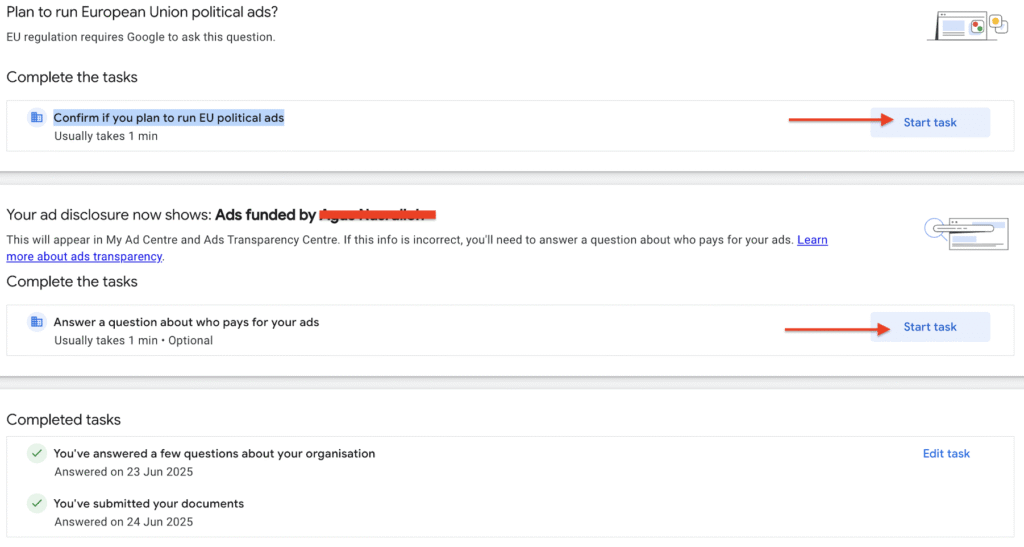
- In the title column: Plan to run European Union political ads?
Complete the tasks > Confirm if you plan to run EU political ads > Start task
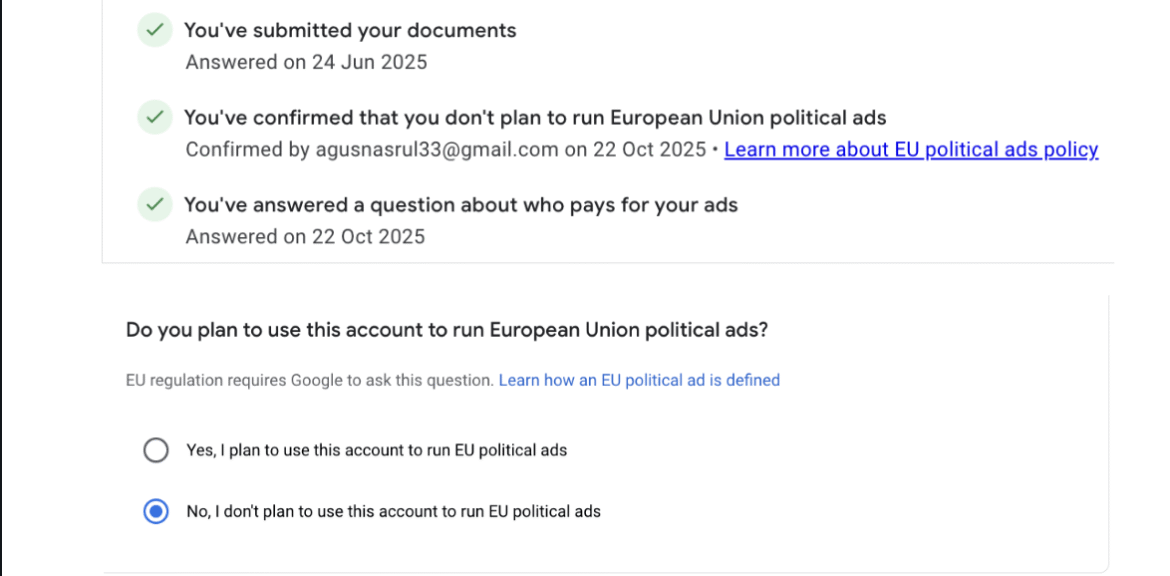
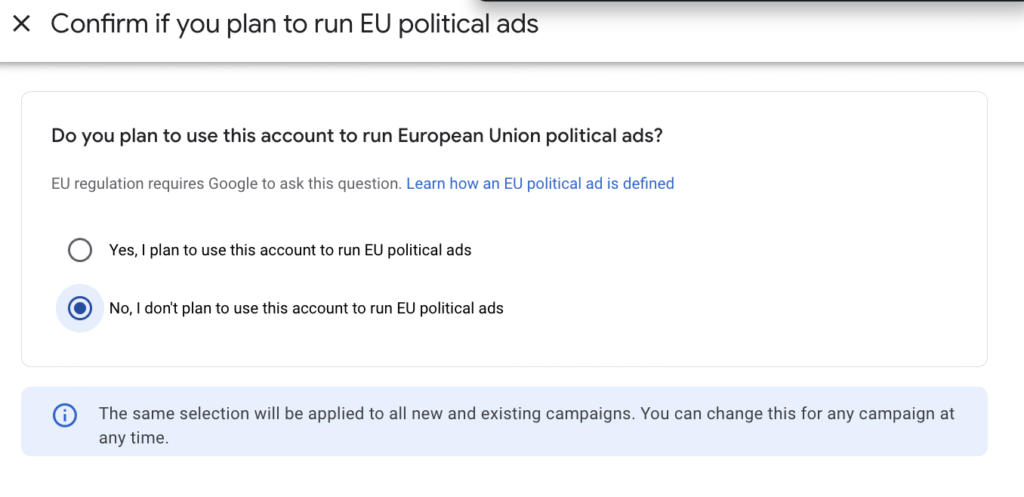
- Confirm again, then choose "No, I don't plan to use this account to run EU political ads" if your ads do not contain political elements in the European area.
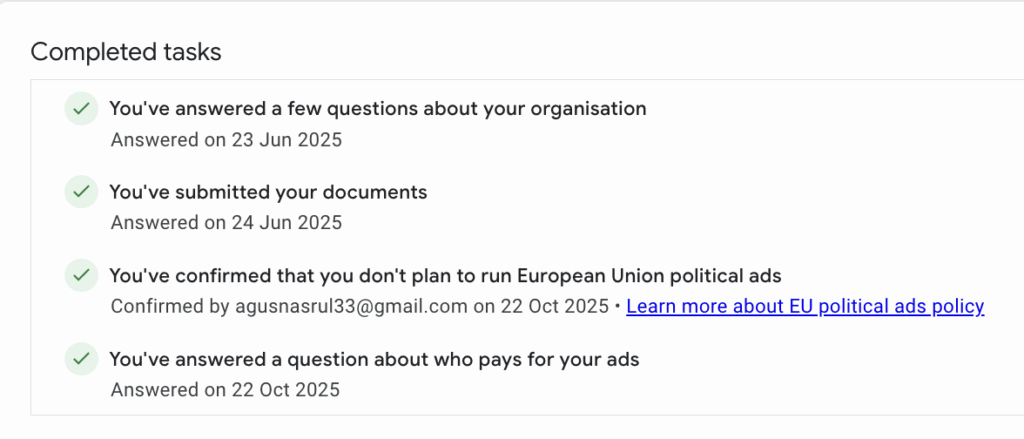
Make sure this Google Ads account is always verified as shown in the following example:
That is the information about Google Ads, hopefully it is useful.
If you still have problems or want to advertise Google Ads with us, please contact our Admin directly.